


If Evri tracking is not updating, it usually means the parcel has not yet received its next scan. This can happen when the parcel is still with the sender, travelling between depots, waiting at a local delivery depot, delayed during a busy period or moving through the network before the next public update appears.
A tracking delay does not always mean the parcel is lost. In many cases, the tracking updates again once the parcel reaches the next scan point or is assigned to a courier.
Customers should first check the official Evri tracking page using the tracking number provided by the retailer, sender or courier. For a wider explanation of Evri delivery times, weekend services, tracking statuses and complaints, read this full Evri delivery guide.
Key Takeaways
| Key Point | What It Means |
| Evri tracking may pause between scans | The parcel may still be moving even if the tracking has not changed |
| No tracking information can mean Evri has not received the parcel yet | The sender may have created the label but not handed over the parcel |
| A delayed scan does not always mean the parcel is lost | Tracking often updates after the next depot or courier scan |
| The sender or retailer may need to help | Especially if the parcel was an online order |
| Tracking is more reliable once the parcel is out for delivery | This usually means it has reached the local delivery stage |
| If the parcel has been with Evri for over 7 days | Evri advises the recipient to tell the sender so they can contact Evri |
| Evidence matters | Screenshots, order details and tracking numbers can help if support is needed |
Why Is Evri Tracking Not Updating?

Evri tracking may stop updating when the parcel has not yet reached the next scan point. Parcel tracking depends on scans at different stages of the delivery journey, so there can be a delay between the parcel physically moving and the online tracking status changing.
Common reasons for Evri tracking not updating include:
- The sender has created a label but not handed the parcel to Evri
- Evri is still waiting to receive the parcel
- The parcel is moving between depots
- The parcel has not been scanned at the next location yet
- The parcel is waiting at a local depot
- The courier route has not been assigned
- The parcel is delayed by high volume, weather or operational issues
- Tracking has updated internally but not yet appeared online
- The delivery address or parcel details need checking
- The parcel is moving towards a ParcelShop or Locker
Evri’s own tracking guidance says that if there is no tracking information after an order has been placed, this may mean Evri is still waiting to receive the parcel from the sender. In that situation, the customer may need to contact the sender directly.
What Does It Mean When Evri Tracking Has Not Updated for 24 Hours?
If Evri tracking has not updated for 24 hours, it does not automatically mean there is a serious problem. Many parcels can go a full day without a visible public update, especially if they are moving between depots or waiting for the next scan.
A 24-hour pause is more common during:
- Weekends
- Bank holidays
- Christmas delivery periods
- Black Friday and sales events
- Bad weather
- Depot backlogs
- Local courier delays
- Retailer dispatch delays
Customers should check whether the expected delivery date has already passed. If the parcel is still within the estimated delivery period, it may simply be waiting for the next scan.
If the tracking status is stuck on a phrase such as “on its way”, this guide on if Evri says on its way, will it be delivered today explains what that update usually means.
What If Evri Tracking Has Not Updated for 48 Hours?
If Evri tracking has not updated for 48 hours, the customer should look more closely at the delivery status, expected delivery date and who arranged the parcel.
A 48-hour tracking pause may mean:
- The parcel is delayed in the network
- The parcel missed a scan
- The parcel is waiting for local courier processing
- The retailer has not handed it to Evri
- The parcel has been misrouted and needs another scan
- The parcel is waiting for a collection from a ParcelShop or Locker
- The parcel may need investigation if the delivery estimate has passed
For international Evri guidance, Evri states that an enquiry can be registered if a parcel has not scanned for 2 working days or more after the estimated delivery date. UK customers should still begin by checking the official tracking page and contacting the sender or retailer if the parcel was an online order.
Why Does Evri Say It Has the Parcel but Tracking Is Not Moving?
If Evri tracking says the parcel is in the network but there is no movement, the parcel may be waiting for the next scan or delivery stage.
This can happen when the parcel is:
- At a depot waiting to be sorted
- Moving between facilities
- Waiting for local courier assignment
- Delayed by parcel volume
- Awaiting another tracking scan
- Being routed to a ParcelShop or Locker
- Delayed because of local delivery disruption
This type of tracking pause is frustrating, but it does not prove the parcel is lost. The best next step is to check tracking again later and compare the current status with the expected delivery date.
Evri’s service status page can also be useful if there are wider delays affecting deliveries.
What If Evri Tracking Says “We’re Expecting It”?
If Evri tracking says something similar to “we’re expecting it”, it usually means the parcel has been created in the system but Evri may not physically have the parcel yet.
This can happen when a retailer or sender creates a delivery label before handing the parcel over. The tracking number may exist, but the parcel may not move until Evri receives it.
Customers should contact the retailer or sender if this status does not change, especially if the order dispatch date has passed. The sender is usually in the best position to confirm whether the parcel has actually been handed to Evri.
What If Evri Tracking Says “On Its Way” But Does Not Change?
If Evri tracking says “on its way” but does not change, the parcel is likely moving through the Evri network but has not yet reached the next visible tracking stage.
“On its way” does not always mean the parcel is already with the local courier. It may still be travelling between depots, waiting for local sorting, or heading towards a ParcelShop or Locker.
The strongest sign that delivery may happen soon is a status such as “your courier has your parcel” or “out for delivery”. If that update has not appeared, same-day delivery is possible but not confirmed.
What If Evri Tracking Says “Out for Delivery” But Then Stops Updating?
If tracking says “out for delivery” and then stops updating, the parcel may still be on the courier’s route. The courier could be delayed by traffic, bad weather, access problems, route changes or a heavy parcel load.
However, if the parcel does not arrive and the status does not change by the end of the delivery day, customers should keep checking for a new update. The tracking may later show a delayed delivery, attempted delivery, safe-place delivery or a new delivery plan.
For a detailed explanation of this status, read this guide on Evri out for delivery.
Can Evri Tracking Update Late at Night?
Evri tracking can update at different times depending on when a parcel is scanned. Some scans may appear during the evening or after a parcel moves through a depot.
However, customers should not assume that a late tracking update means the parcel will arrive immediately. A late update may simply show that the parcel has reached another stage in the network and will continue moving the next day.
For general delivery hours and timing, read this guide on what time do Evri deliver till.
How to Check Evri Tracking Correctly?
Customers should use the official Evri tracking page or Evri app rather than relying only on retailer order pages. Retailer tracking pages may sometimes update slower than the courier’s own tracking system.
To check Evri tracking correctly:
- Find the tracking number from the retailer, sender, email or text message.
- Go to the official Evri tracking page.
- Enter the 16-digit tracking number.
- If a delivery attempt has already happened, use the 8-digit calling-card number if needed.
- Check the latest date, time and status.
- Look for delivery options, safe-place instructions or diversion choices.
- Save screenshots if the parcel is delayed or missing.
Evri’s mobile app can also provide tracking updates and parcel notifications.
What Should You Do If Evri Tracking Is Not Updating?
If Evri tracking is not updating, the best action depends on the current status and how long it has been stuck.
| Tracking Situation | What It May Mean | What to Do |
| No tracking information | Evri may not have received the parcel yet | Contact the sender or retailer |
| Tracking stuck for less than 24 hours | Waiting for next scan | Keep checking tracking |
| Tracking stuck for 24–48 hours | Possible depot or scan delay | Check expected delivery date |
| Tracking stuck after delivery date | Delivery may need investigation | Contact sender or retailer |
| Parcel with Evri for over 7 days | Evri may need sender investigation | Tell the sender to contact Evri |
| Marked delivered but not received | Parcel may be in safe place, with neighbour or wrongly marked delivered | Check delivery evidence and contact retailer |
If the parcel was purchased from an online shop, the retailer should usually be contacted first because they arranged the delivery.
Should You Contact Evri or the Retailer First?
If the customer bought an item from an online retailer, the retailer should usually be the first point of contact when tracking has stopped updating after the expected delivery date.
This is because the retailer arranged the delivery and is normally responsible for resolving the customer’s order issue. The retailer may be able to send a replacement, refund the order or contact Evri directly.
Customers should contact the retailer first if:
- The parcel was an online order
- The expected delivery date has passed
- Tracking has not changed for several days
- Evri appears to be waiting for the parcel
- The parcel is marked delivered but missing
- The customer wants a refund or replacement
If the customer sent the parcel directly with Evri, they should use the official Evri contact page and provide the tracking number, delivery postcode and parcel details.
For support-route guidance, read this guide on Evri customer service.
When Should You Report an Evri Parcel as Missing?
A parcel should not usually be reported as missing immediately after one tracking delay. Short pauses can happen during normal delivery.
However, the issue becomes more serious if:
- The expected delivery date has passed
- The parcel has not scanned for several working days
- The tracking has been stuck for a long time
- The retailer confirms the parcel was handed to Evri
- Evri tracking says delivered but the parcel is not there
- The parcel has been with Evri for over 7 days
Evri’s missing parcel guidance says that if a parcel has been with Evri for over 7 days and has not arrived, the recipient should let the sender know so the sender can contact Evri and ask them to look into it.
If compensation may be needed, this guide on Evri lost parcel compensation explains what senders and recipients should know.
What If Evri Tracking Says Delivered But You Have Not Received It?
If Evri tracking says delivered but the parcel has not arrived, customers should not rely only on the status. They should check the delivery evidence first.
Customers should check:
- Delivery photo
- Map location, if available
- Safe place
- Porch or doorway
- Shed or garage
- Bin area
- Neighbours
- Reception or concierge desk
- Other people at the address
If the parcel still cannot be found, the next step depends on who arranged the delivery. If it was an online order, contact the retailer. If the customer sent the parcel themselves, contact Evri.
For a full checklist, read this guide on Evri delivered but not received.
Can You Redirect a Parcel If Tracking Is Not Updating?
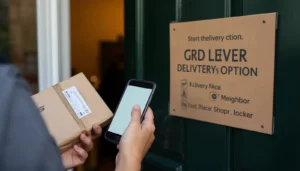
Sometimes customers may still be able to change delivery options even if tracking has not updated recently. This depends on the parcel status and the sender’s settings.
Evri’s parcel diversion guidance says customers can enter their tracking code to see whether they can divert the parcel to a nearby location. Options may include a neighbour, safe place, ParcelShop or Locker.
However, diversion is not guaranteed. If the parcel has not reached the right stage, or if the sender has restricted changes, the customer may not see diversion options.
Does Weekend Delivery Affect Evri Tracking Updates?
Yes, weekends can affect how quickly tracking updates appear. Saturday is a more active delivery and collection day for Evri, while Sunday services are more limited and rely heavily on ParcelShops and Lockers.
If a parcel is dropped off late on Saturday or Sunday, it may not show full movement immediately. It may wait for the next available scan, depot movement or working-day processing stage.
For weekend delivery details, read this guide on do Evri deliver on weekends.
Why Tracking May Pause During Peak Periods?
Peak shopping periods can slow down tracking updates because more parcels are moving through the delivery network.
Tracking delays are more likely during:
- Black Friday
- Cyber Monday
- Christmas
- Boxing Day sales
- Bank holidays
- Severe weather
- Major retailer promotions
- Local disruption
During these periods, parcels may still be moving, but scans and delivery estimates may appear later than expected. Customers should continue checking tracking and look for Evri service status updates.
How to Write a Support Message When Evri Tracking Is Not Updating?
If the tracking delay needs support, the customer should send a clear message with all key details.
Example message:
Hello, I need help with an Evri parcel because the tracking has not updated. My tracking number is [tracking number], and the delivery postcode is [postcode]. The last tracking update was on [date] and shows [status]. The expected delivery date was [date]. Please confirm whether the parcel is still moving through the network and what the next step should be.
If contacting the retailer, customers can add:
As this order was purchased from your store, please investigate the delivery with Evri and confirm whether a replacement, refund or further tracking update is available.
A calm, specific message is more useful than simply saying “my parcel is missing”.
What Information Should You Keep Before Escalating?
Before escalating an Evri tracking issue, customers should collect evidence.
Useful details include:
- Tracking number
- Order number
- Retailer or sender name
- Delivery postcode
- Expected delivery date
- Last tracking update
- Screenshots of tracking
- Delivery photo, if available
- Chat transcript or support reference
- Proof of value if the parcel was sent directly
If the issue becomes a formal complaint, this guide on Evri complaints email explains the correct complaint routes and how to avoid relying on unofficial email addresses.
Conclusion
If Evri tracking is not updating, the parcel may still be moving through the network, waiting for the next scan, delayed at a depot or not yet received from the sender. A tracking pause does not always mean the parcel is lost.
Customers should check the official tracking page, confirm the expected delivery date and contact the retailer or sender if the parcel was an online order. If the parcel has been with Evri for over 7 days, Evri advises the recipient to let the sender know so the sender can contact Evri for investigation.
The best approach is to follow tracking carefully, keep screenshots, avoid assuming the worst after one missed scan and use the right support route if the parcel remains delayed.
FAQs About Evri Tracking Not Updating
Why is my Evri tracking not updating?
Evri tracking may not update because the parcel has not reached the next scan point, is still with the sender, is moving between depots, or is delayed in the network.
Does Evri tracking not updating mean my parcel is lost?
Not always. A tracking pause is common and does not automatically mean the parcel is lost. The parcel may update again after the next scan.
What should I do if there is no Evri tracking information?
If there is no tracking information, Evri may still be waiting to receive the parcel from the sender. Contact the retailer or sender to confirm the parcel has been handed over.
How long should I wait if Evri tracking is stuck?
If tracking is stuck for less than 24 hours, it may simply be waiting for the next scan. If it has not updated for 24 to 48 hours after the expected delivery date, contact the sender or retailer.
What does “on its way” mean on Evri tracking?
“On its way” usually means the parcel is moving through Evri’s network. It does not guarantee delivery that day unless the tracking later changes to “out for delivery” or shows a delivery window.
What does “out for delivery” mean on Evri tracking?
“Out for delivery” usually means the parcel has reached the local delivery stage and may be with the courier for delivery that day.
What if Evri tracking says delivered but I have not received it?
Check the delivery photo, safe place, neighbours and reception areas first. If the parcel is still missing, contact the retailer if it was an online order.
Should I contact Evri or the retailer?
If the parcel was bought from a retailer, contact the retailer first. If the customer sent the parcel directly with Evri, contact Evri support.
Can Evri tracking update on weekends?
Yes, Evri tracking can update on weekends, but some weekend parcel movement may be slower, especially for Sunday drop-offs or limited courier services.
Can I change delivery options if tracking is not updating?
Possibly. Customers can check Evri tracking to see whether diversion options are available, such as a safe place, neighbour, ParcelShop or Locker.
When is an Evri parcel considered missing?
There is no single public rule for every case, but Evri says if a parcel has been with them for over 7 days and has not arrived, the recipient should tell the sender so the sender can contact Evri.